Native desktop workspace
Meow - the desktop GUI for Montycat
Move from commands to clarity. Connect to Montycat, understand your data estate, manage records, and explore semantic search in one focused visual workspace.
Available now for macOS, Windows, and Linux.
Available now
Download Meow for your platform
Meow is installed separately from Montycat and connects to local, remote, or TLS-enabled engines. Choose your platform for the current package and installation details.
One app, the whole database
A faster way to understand and operate Montycat
Meow turns core database workflows into a visual environment while keeping Montycat in control of your data.
See your data structure
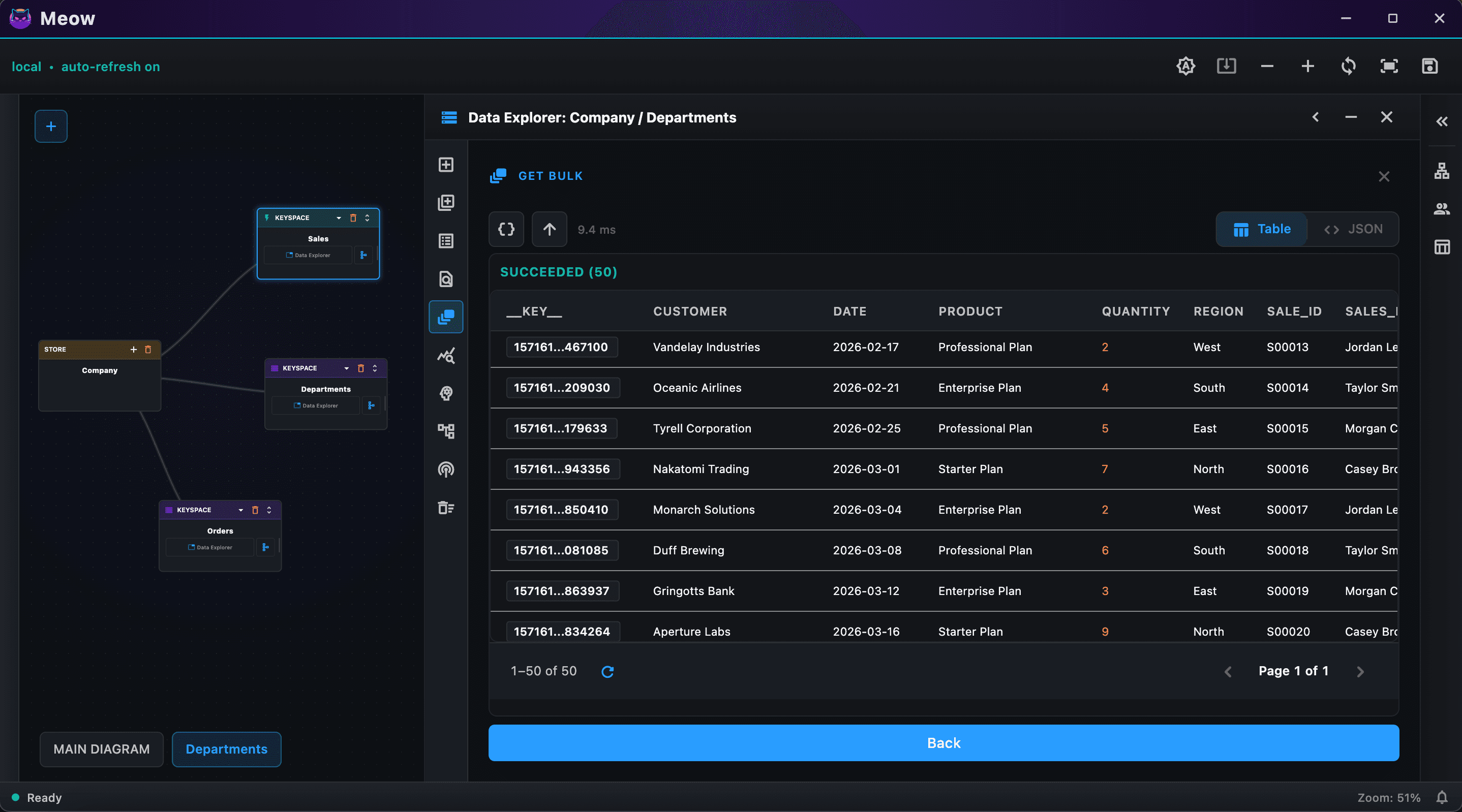
Navigate Montycat stores and keyspaces from a visual canvas built for complex data estates.
Work with records
Browse, inspect, create, update, and remove records without leaving the desktop workspace.
Search by meaning
Run semantic and structured retrieval workflows against AI-native Montycat keyspaces.
Manage schemas
Understand schemas, stores, and keyspace relationships in the same interface as your data.
Connect with confidence
Keep reusable connection profiles for local and remote Montycat deployments, including TLS.
Guided setup and updates
Meow detects a missing or outdated Montycat engine and checks for new Meow releases. You choose when to download and open the native installer.
Let Meow help set up your workspace
Meow checks for a local Montycat engine, offers an appropriate package when one is missing or outdated, and notifies you when a new Meow release is available. Downloads always start with your approval and finish through your operating system installer.